
How to Choose a Professional Email Name When Yours is Taken
My Personal Experience.
I have been using the GCB (Get Calculator Base) website for a long time, and I am very impressed with their tools and services. Recently, while working on email-related tasks, I found a tool called Email Address Ideas on their platform.
This tool really helped me understand how to create better and more professional email ideas. It was very useful because in many cases, I needed proper email formats for different clients and projects, but I was not sure how to create them effectively.
Earlier, I faced difficulties when using tools like password generators because sometimes I also needed email addresses along with them. But this tool solved that problem easily.
The Email Address Ideas tool allows users to generate creative and professional email suggestions based on their name, brand, or domain. It helps users in many situations, such as:
Personal email creation
Business email setup
Brand identity
Professional communication
I have been using GCB tools for a long time, and I truly appreciate their effort and hard work. Their platform provides practical solutions that help users solve real problems in a simple way.
This tool has improved my workflow and helped me manage email-related tasks much more efficiently.
Let’s be honest: finding a professional email address in 2026 feels like trying to find a parking spot in downtown London or New York at rush hour. Everything good seems to be taken.
You type your name into Gmail or Outlook, and you’re met with that frustrating red text: “That username is taken.” Most people panic. They feel the pressure to just “get it done” and settle for something messy like johnny.smith.9988@gmail.com.
But if you are a job seeker or a new business owner, that “9988” at the end of your name is a subtle trust-killer. It looks unprofessional, dated, and—let’s face it—a bit lazy. Here is how you can outsmart the system and claim a digital identity that actually builds your brand.
The Psychology of a “Clean” Email Address
In the UK and USA markets, recruiters and high-ticket clients make split-second decisions. Your email address is your first digital handshake. Before they read your CV or visit your website, they see your sender name.
A “clean” email—one that is easy to read, spell, and remember—suggests that you are detail-oriented, organized, and tech-savvy. On the flip side, an email cluttered with underscores, random digits, or “cool” nicknames sends a signal of immaturity.
If you can’t get the standard firstname.lastname@gmail.com, don’t settle for the first suggestion Google gives you. Instead, you need a strategic naming convention that aligns with your professional goals.
5 Creative Hacks for Professional Email Names
When the standard format is gone, don’t reach for the number pad. Use these “Expert-Approved” professional email address ideas to stand out:
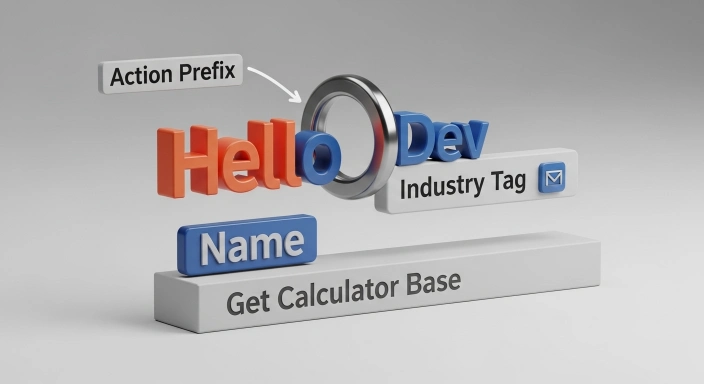
1. The Industry Tag
Adding your profession to your name is a massive win for your personal brand. It categorizes you instantly in the recipient’s mind.
- The Idea:
waseem.seo@gmail.comorwaseem.dev@gmail.com. - Why it works: It tells the recipient exactly what value you bring before they even click “open.” It also helps in search—if a client searches “SEO” in their inbox, your email is more likely to pop up.
2. The Geographic Anchor
If you are targeting clients in a specific city or region, use it to build “local authority.”
- The Idea:
waseem.london@domain.comorwaseem.nyc@domain.com. - Why it works: It builds local trust. In a world of global remote work, showing you are in the same timezone or city as your client can be a huge competitive advantage.
3. The Action-Oriented Prefix
This is a favorite among modern startups, consultants, and “solopreneurs” in the UK and USA.
- The Idea:
hello.waseem@domain.com,ask.waseem@domain.com, orwrite.waseem@domain.com. - Why it works: It feels modern, welcoming, and very “2026.” It turns a static name into an invitation to start a conversation.
4. The Middle Initial Strategy
Sometimes, the simplest solution is the most elegant. Simply adding your middle initial is often enough to clear the availability hurdle while keeping the name formal.
- The Idea:
waseem.a.ijaz@domain.comorwaijaz@domain.com. - Why it works: It maintains a high-end, corporate feel. It’s a classic move used by lawyers, doctors, and high-level executives.
5. Automate with a Bulk Tool
Instead of guessing combinations for an hour, you can automate this entire process. I built the Bulk Email Address Generator to help you see hundreds of professional variations in one second.
This tool doesn’t just “guess.” It uses logic-based arrays to find “Clean” combinations that top agencies use. It’s designed to provide options that are mathematically more likely to be available because they bypass the most common naming mistakes.
Addressing the “Free Edu Email Generator” Myth
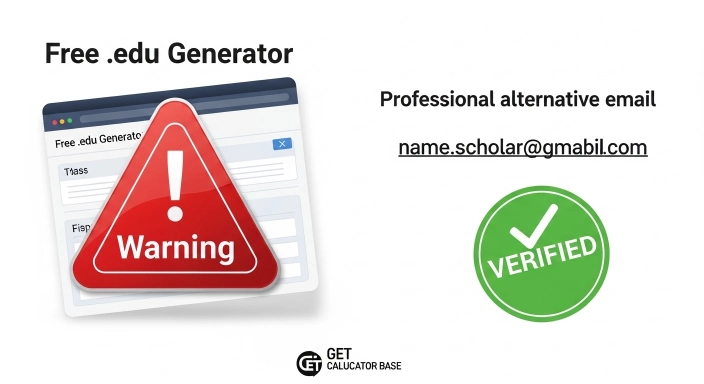
I often see students and learners searching for a “free edu email generator for students.” It is important to be clear: while many shady websites claim to “generate” these, a real .edu email is an official credential provided by a verified educational institution.
Trying to “fake” an edu email can get your accounts banned. However, what you can do is generate a professional-sounding “student-status” email for your portfolio or outreach. Using a name like name.academic@gmail.com or name.scholar@gmail.com can help you bridge the gap and look serious about your studies while you are still in school. This is a much better way to build Topical Authority than using a fake generator.
Moving Beyond Gmail: The Custom Domain Advantage
If you are a business owner or a serious freelancer, a @gmail.com or @outlook.com address is just the starting point. Eventually, you will want a custom domain (like hello@waseem.com).
Why? Because it gives you 100% control. Even if your name is “John Smith,” you can buy a unique domain and have whatever email you want. To figure out if your business is making enough profit to justify the cost of premium hosting and custom domains, you should regularly check your Affiliate Marketing ROI. If your ROI is positive, investing in a custom domain is the single best move for your digital branding.
Expert Tip: The “Phone Test” and the “3-Second Rule”
Before you register your new email, you must pass the Phone Test. Imagine you are on a call with a busy client and you need to give them your email.
If you have to say, “That’s waseem underscore dev dash ninety-nine at gmail dot com,” you have already lost. It’s too long, it’s confusing, and people will make typos.
You want an email address you can say in three seconds. If it’s waseem.pro@gmail.com, it’s clear, punchy, and typo-proof.
Pro Tip: If you are preparing a speech or a pitch for your new brand, use our Words to Minutes Speech tool. This helps you ensure that your “About Me” section—including your contact details—fits perfectly into your allotted time without sounding rushed.
Why Your Choice Matters for GEO and AEO (The 2026 SEO Shift)
Search is changing. In the era of Generative Engine Optimization (GEO) and Answer Engine Optimization (AEO), AI search engines (like Gemini, ChatGPT, and Perplexity) don’t just look for keywords; they look for Entities.
An “Entity” is a verified person or brand. When your email address matches your name and your profession consistently across the web (on LinkedIn, your portfolio, and your resume), AI systems can easily verify your E-E-A-T:
- Experience: Are you a real person working in this field?
- Expertise: Does your digital ID reflect your skills?
- Authoritativeness: Do other sites link to your name?
- Trustworthiness: Is your contact info professional and consistent?
By choosing a professional email like name.expert@gmail.com, you are feeding the AI the correct data to rank you as an authority in your niche.

Comparison: The Cost of a Poor Email Choice
| Feature | Professional Email (via Generator) | Messy Email (Manual Guess) |
| Recruiter Trust | High (Looks established) | Low (Looks like a bot) |
| Memorability | Easy to say and write | Hard to remember numbers |
| Spam Risk | Low (Follows RFC standards) | Medium (Numbers can trigger filters) |
| AI “Entity” Score | High (Clear branding) | Low (No clear connection) |
Professional Email Ideas: Quick FAQs
1. What is the best format for a professional email? The gold standard is firstname.lastname@domain.com or firstinitial.lastname@domain.com for a clean, corporate look.
2. Should I use numbers in my professional email? Avoid random numbers like name12345 as they look unprofessional; only use a year like 2026 if absolutely necessary.
3. What can I do if my name is already taken? Try adding a professional tag like name.seo@gmail.com or use an action prefix like hello.name@gmail.com to stay unique.
4. Can I get a real .edu email from a generator? No, real .edu emails are only issued by schools, but you can use name.scholar@gmail.com as a professional student alternative.
5. How many email ideas can I generate at once? Using our Bulk Email Address Generator, you can instantly create up to 100 unique professional ideas in one click.
Conclusion: Don’t Settle for “Good Enough”
Your digital identity starts with your email. It is the foundation of your online presence. If your first choice is taken, don’t panic and don’t settle for a name that makes you look like an amateur.
Use the strategic patterns we’ve discussed—the industry tags, the geographic anchors, or the action prefixes. If you want to see all your best options at once, head over to our Bulk Email Address Generator and find a unique, professional alternative in seconds.
For more ways to optimize your professional life, check out our full suite of Digital Marketing Tools or explore our Finance Tools to keep your business growth on track.
Remember, at GetCalcBase, we don’t just provide calculators; we build the tools that empower your professional journey in the digital age. Stop settling for messy, and start building a brand that commands respect.