
GPA & Marks Calculator: Your All-in-One Cumulative GPA Tool
Whether you need to convert GPA to marks out of 100, out of 600, or to percentage, this free calculator gives instant, accurate results. Enter your GPA and select your scale below.
GPA & Marks Tool
Professional Calculator for Students
Academic life is full of numbers, but nothing causes more stress than trying to figure out your standing for a job application or a university admission. If you have ever stared at a transcript and wondered how a 3.7 GPA translates into a percentage or how your marks convert to a 4.0 scale, you are in the right place.
At GetCalcBase, we didn’t just build a basic script. We developed a professional-grade GPA & Marks Calculator designed to handle global academic standards. Whether you are following the CBSE 10-point system, the US 4.0 scale, or a percentage-based curriculum, this tool is your “secret weapon” for academic clarity.
My advice and tip is that you should bookmark this tool because more math-related tools and features may be added in the future. This website regularly adds new tools, so it is good to keep checking it from time to time.
You can visit the website and use the tools for informational and educational purposes. These tools are made to help users understand calculations in a simple and easy way.
Personal Experience Behind the Tool
Look, this is also an important point. Sometimes a problem is solved, and that feels really good. I have faced many problems myself, and I am sharing them here as part of my real-life experience. But these are also problems that many other people face.
I have seen in my real life that when I face a problem related to something I am working on, I try to find a solution. As a developer, I do not build tools only for myself. When I face a problem, I also think that I should solve it so other people do not have to face the same problem.
This is the same story behind the tool you are seeing. When I was a student, I needed this tool because I faced this problem myself. At that time, if someone asked me what percentage I got, I could tell them my marks, but I did not know how to calculate the percentage.
For example, if I got 650 marks out of 1100, I did not know how to calculate the percentage because the formula was different. After finding the correct formula, I could get the answer.
Many other students were facing the same problem. I also faced similar problems during my studies, so after completing my studies and becoming a developer, I thought about building a tool that could solve this problem.
At first, I built the tool for myself and used it. Then I shared it with my friends. After that, other people started using it as well.
One important thing is that after I built the tool, I received feedback from people who used it. I also received a review from my younger sister, and I added her review as a testimonial. I did not add only my own review. I waited until I received feedback from real users.
After receiving different reviews and seeing people’s interest, I made the tool live.
Later, I also received feedback from students at colleges and universities. Some students asked me to make a tool for marks-to-GPA and GPA-to-marks, so I added this new feature to help them as well.
Pro Tips & New Feature Update
I have some good news to share with you. I have added a new feature to this tool, and under this tool, three different features are now available:
GPA to Percent | Marks to GPA | GPA to Marks
You can check these features and use them. I will also give you an advanced educational guide so you can understand how to use them. You can read the guide first, check the examples and formulas, and then use the tool.
This will help you understand the results and formulas properly and give you confidence that the results are accurate.
Remember, just like all our other tools, all the information is provided for informational purposes.
This is my personal experience.
When I was studying, I did not know much during my first year because whenever the semester result came, our class teacher would tell us the result. Later, they told us to find out for ourselves what our result was.
I wanted to know things like what GPA to marks means, how marks convert to GPA, and if your GPA is 3.5 out of 4, what percentage it would be. At that time, I did not have a proper calculator for this, so I was looking for a website that could help me.
I found several different websites for this idea and later started working on it on my own website. At that time, I was also working part-time as a website developer, so I decided to create my own tool. I worked hard on it and used my experience and skills to improve it.
Later, the tool I created was incredibly fast. It would give me the result in less than a second. I was also using the tool myself, and some of my classmates were using it as well.
When I created my own website, I made this tool live so that every student and every user could use it. This is how this tool became available to students and users.
I am very happy because I found a website that helped make my student life easier.
Some time ago, my results came, and I received my GPA, but I did not know how to calculate my percentage. My classmates used to ask me about my marks and percentage, but I could not answer properly because my math was weak. My sister also received her marks, and we both had difficulty understanding our percentages.
Then one of my teachers told me about a website called GCB (Get Calculator Base). They have a tool called GPA & Marks Calculator.
I used this tool by simply entering my GPA and marks details, and it immediately showed my percentage. It also gave guidance about grades and calculations in a very simple way.
Since my math skills are not very strong, this tool helped me a lot. Now whenever someone asks me about my GPA or percentage, I can quickly check it because I have bookmarked the website.
Thanks to GCB for creating such a helpful tool for students like me.
High School vs. College: My Personal Experience Using the Tool
As a developer, Students use this tool to check their GPA and percentage before job and university applications. In high school, the stress is usually about reaching that “magic number” for college admissions. Students often use our calculator to see how one bad grade in a lab might affect their overall percentage.
In college, it becomes even more intense. During finals week, students use GetCalcBase to play “What If.” What if I get an A in Math but a C in History? Our tool handles these scenarios perfectly. I remember using a similar logic during my own degree—knowing your standing gives you a level of confidence that a raw transcript simply can’t provide.
How to Use the Cumulative GPA Calculator Step-by-Step?
Using our tool is straightforward because we believe technology should simplify your life, not complicate it. Our developer, Waseem Aijaz, designed a modern Glassmorphism interface that works perfectly on both mobile and desktop.
Entering Your Current GPA & Credit Hours
If you already have your GPA from a semester and want to see the percentage, use the “GPA to Percent” tab.
Enter your Obtained GPA (e.g., 3.85).
Select your Total Scale. While 4.0 is common, many systems use 5.0 or even 10.0.
The tool uses a precise linear algorithm to give you an instant percentage.

Adding Semester-wise Breakdown for Accuracy
For students who have their raw marks from exams, the “Marks to GPA” tab is the way to go.
Input your Obtained Marks (the total sum of all subjects).
Input the Maximum Possible Marks.
Click Calculate Now. Our engine will give you both your percentage and your equivalent GPA on a universal 4.0 scale.
GPA vs. CGPA: Decoding the Difference for Students
Understanding these two terms is the first step toward better academic planning.
What is Cumulative Grade Point Average?
GPA (Grade Point Average) usually refers to your performance in a single semester or a specific term. CGPA (Cumulative Grade Point Average) is the average of all your GPA scores across your entire degree or school period.
Why Credit Hours Impact Your Final CGPA?
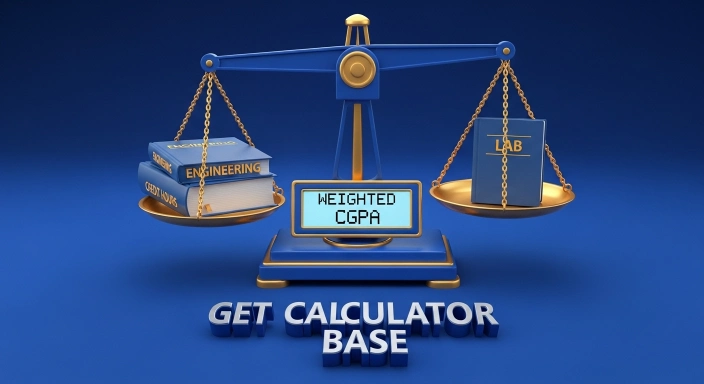
Not all subjects carry the same weight. A 4-credit Engineering or Medical course has a much larger impact on your final score than a 1-credit lab. When using our tool, remember that the most accurate way to calculate a cumulative score is to weigh your grades against these credit hours.
How to Convert GPA to Marks (Step-by-Step)
If you are wondering how to turn your GPA into raw marks, you aren’t alone. Most students need this for official documentation, resume building, or verifying their transcript data. Because grading systems vary by country and school, the conversion process can feel tricky. Here is the simplest, most accurate way to do it.
The Universal Conversion Logic
To calculate your marks from GPA, you first need to find your Percentage, and then apply it to your Total Marks.
The Formula:
Percentage = $(\text{GPA} \div \text{Total Scale}) \times 100$
Obtained Marks = $(\text{Percentage} \div 100) \times \text{Total Marks}$
Convert CGPA Directly to Marks Out of Any Total
The examples above walk through the math by hand, but you don’t have to do it that way every time. The calculator at the top of this page now has a dedicated “GPA to Marks” tab that does this conversion for you instantly.
Here’s how to use it:
- Click the GPA to Marks tab (next to “GPA to Percent” and “Marks to GPA”).
- Enter your CGPA on a 10-point scale — for example, 9.2.
- Enter the total maximum marks for your exams — for example, 600.
- Leave the conversion multiplier at 9.5 (the standard for CBSE and most Indian state boards), or change it if your institution uses a different factor.
- Click Calculate Now to see your percentage and your marks obtained, side by side.
This skips the two-step math entirely — no need to calculate percentage first and then marks separately.
GPA to Marks Out of 600 — Quick Reference (10-Point Scale)
Want to check a few common values without typing them into the calculator? Here’s marks out of 600 for CGPA values using the standard 9.5 multiplier:
| GPA | Percentage (×9.5) | Marks out of 600 |
|---|---|---|
| 10.0 | 95% | 570 |
| 9.8 | 93.1% | 559 |
| 9.7 | 92.15% | 553 |
| 9.5 | 90.25% | 542 |
| 9.4 | 89.3% | 536 |
| 9.3 | 88.35% | 530 |
| 9.2 | 87.4% | 524 |
| 9.0 | 85.5% | 513 |
| 8.8 | 83.6% | 502 |
| 8.7 | 82.65% | 496 |
| 8.5 | 80.75% | 485 |
| 8.3 | 78.85% | 473 |
| 8.0 | 76% | 456 |
| 7.8 | 74.1% | 445 |
| 7.7 | 73.15% | 439 |
| 7.5 | 71.25% | 428 |
| 7.3 | 69.35% | 416 |
| 7.2 | 68.4% | 410 |
| 7.0 | 66.5% | 399 |
| 6.8 | 64.6% | 388 |
| 6.7 | 63.65% | 382 |
| 6.5 | 61.75% | 371 |
Need a different total or a different multiplier? Use the GPA to Marks tab above — it works for any combination instantly.
Real-Life Conversion Examples
Let’s look at two specific scenarios that students often search for.
Example 1: Converting 9.4 GPA into Marks (out of 600)
If your university follows a 10.0 scale and you have achieved a 9.4 GPA, here is how to calculate your marks out of 600:
Step 1 (Percentage): $(9.4 \div 10) \times 100 = 94\%$
Step 2 (Marks): $(94 \div 100) \times 600 = \mathbf{564 \text{ Marks}}$
Result: Your 9.4 GPA equals 564 out of 600.
Example 2: Converting 3.5 GPA into Marks (out of 1100)
If you are on a 4.0 scale and have a 3.5 GPA, calculating for a total of 1100 marks:
Step 1 (Percentage): $(3.5 \div 4.0) \times 100 = 87.5\%$
Step 2 (Marks): $(87.5 \div 100) \times 1100 = \mathbf{962.5 \text{ Marks}}$
CGPA to Marks Conversion: The Global Formula
How do we ensure our results are reliable? We use formulas recognized by top educational boards globally.
Why Multiply by 9.5? (The CBSE Logic)
If you are a student in India or following a CBSE-affiliated curriculum, you know the “9.5 rule.” The board analyzed the last five years of results and found that the average of the top percentile was roughly 95. Therefore, dividing by 10 gives the 9.5 multiplier.
How to Calculate Marks from CGPA Manually?
If you have a CGPA of 8.0, the calculation is:
$8.0 \times 9.5 = 76\%$.
Once you have the percentage, you can find your marks by:
Percentage to CGPA Calculator: Marks to Grade Conversion
Converting a percentage back to a GPA requires a mapping table. Most international universities use the following standard, which is built into our calculator’s logic.
Percentage to CGPA Table for Major Educational Boards
| Percentage | Letter Grade | 4.0 Scale | 10.0 Scale |
| 90% – 100% | A+ / A | 4.0 | 9.5 – 10.0 |
| 80% – 89% | A- / B+ | 3.5 – 3.9 | 8.5 – 9.4 |
| 70% – 79% | B / B- | 3.0 – 3.4 | 7.5 – 8.4 |
| 60% – 69% | C+ / C | 2.5 – 2.9 | 6.5 – 7.4 |
Converting 10-Point Scale to 4.0 Scale
For students applying to universities in the USA, UK, or Canada, converting your 10-point CGPA to a 4.0 scale is mandatory. Our tool does this by first finding your raw percentage and then normalizing it to the 4.0 standard.
High School vs. College GPA: Understanding Different Scales
The stakes are different depending on where you are in your journey.
Weighted vs. Unweighted GPA Explained
Unweighted GPA: Every class is treated the same, regardless of difficulty. The scale goes from 0 to 4.0.
Weighted GPA: Harder classes (like AP, Honors, or IB) are given extra points. A student taking advanced classes could have a GPA as high as 5.0.
How High School GPA Impacts College Applications
Colleges look at your cumulative score to see if you can handle their workload. Using a tracker during high school helps you identify which subjects are pulling your average down before it is too late.

Advanced Two-Way Conversion Logic
Our tool isn’t just for basic math; it runs on two specialized engines to ensure your results are 100% accurate.
1. CGPA to Percentage Converter
When you enter your CGPA, our tool automatically detects the standard for your region.
How to Use: Just type your CGPA (e.g., 8.5) and select your scale.
The Result: You will instantly see your accurate percentage (e.g., 80.75%).
Why use it? Most job applications and grad school forms ask for a percentage. This tool saves you the headache of manual multiplication.
2. Marks to CGPA & GPA Converter
If you only have your total marks, this mode is a “life saver.”
How to Use: Enter your total obtained marks and the maximum possible marks.
The Result: The tool gives you a double result—first your Percentage and then your Universal 4.0 GPA Scale equivalent.
Why use it? For study abroad applications in the USA or UK, you must present your marks on a 4.0 scale. This tool does it in one second.
Understanding Your Results: What You Get
When you hit the “Calculate Now” button, our result card pops up with clear, actionable data:
Percentage View: This tells you exactly what your score is out of 100. It is accurate to two decimal points, making it perfect for official documentation.
GPA (4.0 Scale) View: This is the most critical result. Since 90% of top global universities follow the 4.0 scale, our tool “normalizes” your data so you know exactly where you stand internationally.
Smart Tips: How to Raise Your Cumulative GPA Effectively?
Based on years of academic tool development, here are proven strategies to boost your score:
- The "Quality Points" Hack: Focus 80% of your effort on high-credit courses. A "B" in a 4-credit course is often better for your GPA than an "A" in a 1-credit course.
- Plan for the Future: Use our calculator to input "expected" marks for your upcoming exams. This "what-if" analysis tells you exactly what score you need to reach your target GPA.
- Grade Replacement: Check if your school allows you to retake a subject. Replacing a "D" with an "A" is the fastest way to skyrocket your cumulative average.
- Consistency Matters: Avoid "GPA dips." It is much easier to maintain a 3.5 than to climb back up from a 2.0.
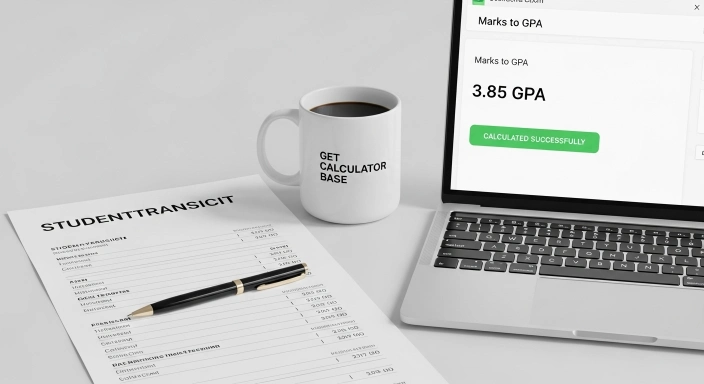
Pro-Tip: Don’t just average your semester GPAs! You must use Weighted Averages. A 4-credit course has four times the impact of a 1-credit course. Always focus your “Grade Recovery” efforts on high-credit subjects first.

Why Use the GetCalcBase GPA Tool?
- Privacy First: Your marks are your business. Unlike server-side tools, our code runs entirely in your browser. No data is saved on our servers.
- Global Reach: This tool is designed for students in the USA, UK, Canada, Pakistan, India, UAE, and beyond.
- Expert Backed: Formula logic built and verified by Waseem Aijaz (M.Sc Mathematics) against standard academic curriculum references.
- All-in-One Solution: It handles GPA to Percent, Marks to GPA, and CGPA to Marks in one single page.
User Checklist: Is Your Calculation Ready?
- Do you have your semester mark sheet?
- Have you identified the total scale (4.0, 5.0, or 10.0)?
- Are you entering obtained marks correctly?
- Are you ignoring non-credit extracurricular activities?
Frequently Asked Questions (FAQs)
How do I convert my CGPA into total marks?
Multiply your CGPA by your institution’s conversion factor (9.5 for CBSE and most Indian state boards) to get your percentage, then apply that percentage to your total maximum marks. Or skip the manual math entirely — use the GPA to Marks tab in the calculator above, enter your CGPA and total marks, and get the exact figure instantly.
What is a good cumulative GPA for studying abroad?
A GPA of 3.0 or higher is generally considered good, though competitive universities often require a 3.5+.
Why is my cumulative GPA different from my sessional GPA?
Your sessional GPA is for one term, while the cumulative GPA is the weighted average of all terms combined.
Does this calculator work for both High School and University?
Yes, it supports scales for both high school (weighted/unweighted) and college degree programs.
Can I calculate my GPA if I only have percentages?
Yes, simply use the “Marks to GPA” tab and enter your percentage as the obtained marks out of 100.
How to calculate marks percentage?
Divide your obtained marks by the total possible marks and multiply by 100.
What is 76% in CGPA?
On a 10-point scale, 76% divided by 9.5 equals 8.0 CGPA.
What is the percentage of 300 marks out of 600?
It is exactly 50%.
How to calculate -%?
Subtract the new value from the old value, divide by the old value, and multiply by 100 to find the percentage decrease.
Is a 3.7 GPA an A or B?
A 3.7 GPA typically corresponds to an A- on most 4.0-scale grading systems, though exact letter-grade cutoffs vary by institution — some treat 3.7 as a straight A if their scale doesn’t use A-.
What is an 80% in GPA on a 4.0 scale?
On most standard 4.0 scales, 80% converts to roughly a 3.0 GPA (a B average), though the exact figure depends on your institution’s specific conversion table.
Is a 3.4 GPA considered good?
A 3.4 GPA is generally considered good — it typically falls in the B+ range and meets the minimum requirement for many university honors programs and scholarships, though “good” depends on your field and goals.
Common Academic Mistakes to Avoid When Calculating GPA
Ignoring “Withdrawal” (W) or “Incomplete” (I) Grades: Usually, these do not affect your GPA, but “F” (Fail) grades definitely do. Our tool ignores non-numerical entries to keep your data clean.
Forgetting to Add Labs and Studio Credits: Many students only calculate their core subjects. For an accurate cumulative result, you must include every credit-bearing course on your transcript.
Pair It With These
Once you’ve converted your GPA, a few other tools here can help finish the picture. If your scores involve very small or very large numbers, the Scientific Notation Converter keeps them readable. Comparing this semester’s percentage to last semester’s? The Percentage Decrease Calculator shows the exact drop or gain. And if a grading scheme reports fractional credit weights, Fraction to Decimal Pro converts them instantly.
Final Words & Disclaimer
Your academic journey is a marathon, not a sprint. While grades are important, they are just one part of your story. Use this GPA & Marks Calculator as a guide to help you plan your future with confidence.
Disclaimer: While this tool is developed with high mathematical precision and verified by academic experts, it should be used for estimation and planning purposes. Always cross-check with your official university transcript for final certification.
GetCalcBase – Your Trusted Partner in Digital Calculations. Website Developer Waseem Aijaz Linkedin
What the Get Calculator Base Community Says
Average Rating: 4.9/5 based on our beta users