
Scientific Notation Calculator: Convert Any Number Instantly
Quick Answer: Type any number to instantly see it in scientific, E-notation, engineering, decimal, and word form — supports SI prefixes like “k” and “M” for quick shorthand entry.
Handling huge numbers or tiny decimals can be a real headache. Whether you’re measuring the vast distance between stars or the microscopic size of a cell, one misplaced zero can ruin your entire calculation. That is exactly why we built the Scientific Notation Calculator here at GetCalcBase
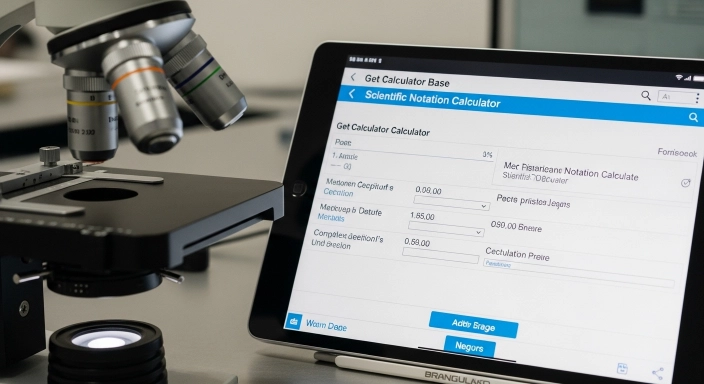
Scientific Notation Converter
Type any number to see instant conversions in scientific and engineering formats.
| Scientific | - |
|---|---|
| E-Notation | - |
| Engineering | - |
| Decimal Form | - |
| Word Form | - |
This isn’t just a basic script. It is a professional-grade tool built with careful attention to detail. I (Waseem Aijaz) handled the technical coding, privacy-first logic, and mathematical accuracy to ensure every result is classroom and lab-ready.
This is my personal experience.
About one month ago, I was studying for a BSc in double mathematics. I was finding math difficult, and I needed something that could give me quick answers to help me understand problems. My math concepts were not very strong, so I was looking for a simple solution that could guide me instantly.
One day, my class monitor told me about a tool called Scientific Notation Converter. I tried this tool, and it gave me fast and accurate results. It helped me understand my math problems better, and my performance in class improved. My confidence in math increased, and my overall experience became much better.
After that, I visited the contact page of the GCB (Get Calculator Base) website and suggested that they should create more math-related tools. I contacted them, and they replied quickly. I requested more tools that could help students learn mathematics.
They are already working on educational tools, and I appreciate their effort in helping students. I would like to thank GCB (Get Calculator Base) for providing useful tools that support learning and make education easier for students like me.
Pro-Level Tip
Here is a pro-level tip from me: If you are not sure about this tool and want to see whether it is reliable, I have also shared feedback from experts.
After building the tool, I gave it to local users, people around me, and my clients so they could use it. After they used it, I received their reviews.
I have added their reviews to the testimonials section, where you can check their feedback.
You can read the reviews first and then try the tool yourself.
Expert Tips for High Accuracy
The “Hidden” Decimal: Remember, in a whole number like
500, the decimal is invisible at the end (500.). Always start your jump from there.Programming Logic: If you are coding in Python or JavaScript, use the E-Notation result ($1.2e5$) directly in your code to avoid overflow errors.
Zero is Neutral: Note that $10^0 = 1$. So, $5 \times 10^0$ is just $5$.
Real-World Example:
Astronomy: The Sun is $1.4 \times 10^6$ km wide.
Biology: A human DNA strand is $2.5 \times 10^{-9}$ meters thin.
Finance: A “Trillion” dollar deficit is written as $1 \times 10^{12}$.
What is Scientific Notation and Why Do We Need It?
Scientific notation—often called Standard Form—is basically a shorthand for math. Imagine trying to write down the weight of the Earth in kilograms. You’d be typing zeros for ten minutes! Scientific notation fixes this by using a simple formula:
The “a” (Coefficient/Mantissa): This is always a number between 1 and 10.
The “10”: This is your base.
The “b” (Exponent): This tells you exactly how many places the decimal point has jumped.

My Take as a Developer: While building this, I noticed many people get confused by the “E” in $5.5e9$. It looks like an error, but it’s actually just a digital way of saying “5.5 Billion.” Our tool translates these “techy” formats into plain English so you never feel lost.
Scientific notation follows the formal standard described by NIST’s guide to scientific notation, used across engineering and physics worldwide.

How Does the GetCalcBase Tool Actually Work? Scientific Notation Calculator
Most online calculators make you wait for the page to refresh. Our tool uses Client-Side JavaScript, which means it works instantly inside your browser. Your data never leaves your computer, making it 100% private.
Smart Parsing: The moment you type a number like
55000or a shorthand like5k, the code recognizes it.Instant Decimal Shifting: The logic automatically calculates the order of magnitude and shifts the decimal to the perfect spot.
Prefix Support: We built in “intelligence” for SI prefixes. You can type
2M(2 Million) or5k(5 Thousand), and the tool will convert it for you.Live Updates: There is no “Submit” button. The table updates in real-time as you type, giving you a zero-lag experience.
Simple Steps to Use the Calculator
We’ve kept the interface clean and distraction-free:
Step 1: Enter your number in the main box. You can use standard decimals, E-notation, or even words.
Step 2: Watch the results appear instantly in the table. You don’t have to do anything else.
Step 3: Choose your format. We give you five different ways to look at your number:
Scientific Form: The standard academic version ($1.2 \times 10^5$).
E-Notation: What you’ll see in Excel or coding ($1.2e5$).
Engineering Form: The version used by electricians and engineers.
Decimal Form: The full “long” version of the number.
Word Form: How you would say it out loud (e.g., “Five Million”).
Step 4: Use the Copy Button to grab the result and paste it into your homework or project.

The Core Rules of Scientific Notation
If you’re learning this for an exam, here are two simple “shifting” rules to master:
Moving the Decimal Point: Left vs. Right
For Big Numbers (Positive Exponent): Move the decimal to the Left. Each jump increases the positive power of 10.
Example: 80,000 becomes $8.0 \times 10^4$.
For Tiny Decimals (Negative Exponent): Move the decimal to the Right. Each jump creates a negative power of 10.
Example: 0.0005 becomes $5.0 \times 10^{-4}$.
Adding, Subtracting, Multiplying, and Dividing
This is where most students get stuck. Here is the “expert secret” to getting these right every time:
1. Addition and Subtraction
The golden rule here is: The Exponents Must Match.
If you want to add $2 \times 10^3$ to $3 \times 10^4$, you first have to convert them so they both have the same power (like both being $10^4$). Once they match, you just add the front numbers together.
2. Multiplication and Division
This is actually easier! You don’t need the powers to match.
Multiply: Multiply the front numbers and Add the exponents.
Divide: Divide the front numbers and Subtract the exponents.
Common Large Numbers in Scientific Notation
| Number | Scientific Notation |
|---|---|
| 2 million | 2 × 10⁶ |
| 5 million | 5 × 10⁶ |
| 45 million | 4.5 × 10⁷ |
| 55 million | 5.5 × 10⁷ |
| 60 million | 6 × 10⁷ |
| 80 million | 8 × 10⁷ |
| 500 million | 5 × 10⁸ |
| 500 billion | 5 × 10¹¹ |
Scientific vs. E-Notation vs. Engineering: What’s the Difference?
Why are there so many versions? It depends on your job!
| Format | Example | Who Uses It? |
| Scientific | $4.5 \times 10^7$ | Scientists and Students |
| E-Notation | $4.5e7$ | Programmers and Data Analysts |
| Engineering | $45 \times 10^6$ | Electrical & Mechanical Engineers |
Engineering Tip: Engineering notation always keeps the exponent as a multiple of 3 (3, 6, 9, etc.). This makes it super easy to link numbers to units like Kilo, Mega, and Giga.
Scientific Notation Calculator Formula Cheat-Sheet
| Operation | Mathematical Formula | GetCalcBase Logic |
| Standard Form | $$a \times 10^n$$ | Normalizes any input to $1 \le a < 10$. |
| Multiplication | $$(a \times 10^n) \times (b \times 10^m) = (a \times b) \times 10^{n+m}$$ | Multiplies mantissas & adds exponents. |
| Division | $$(a \times 10^n) / (b \times 10^m) = (a / b) \times 10^{n-m}$$ | Divides mantissas & subtracts exponents. |
| Powers (Square) | $$(a \times 10^n)^2 = a^2 \times 10^{2n}$$ | Squares the base & doubles the exponent. |
Who Should Use This Tool?
We built this for a global audience, specifically focusing on:
- High School & College Students: Perfect for checking physics and chemistry homework
- Engineers: Quickly convert values into SI units for circuit design or construction.
- Programmers: Understand the "E" values in your logs or database.
- Curious Minds: Ever wondered how many zeros are in a trillion? Now you can see it instantly.

3 Common Mistakes to Avoid
Even smart people make these “standard form” errors. Keep an eye out for these:
The “One-Digit” Rule: Your front number (mantissa) must be between 1 and 9. Writing $55 \times 10^2$ is a mistake; it should be $5.5 \times 10^3$.
Sign Confusion: Remember, decimals like 0.001 always have a negative exponent.
Significant Figures: Don’t delete zeros at the end if they are part of a precise measurement!
Quick Accuracy Checklist:
- Is my first number between 1 and 9?
- Is my exponent sign correct (Positive for big, Negative for small)?
- Did I use Engineering notation if I'm working with Mega or Micro units?
- Have I checked the "Word Form" to make sure the scale makes sense?
Frequently Asked Questions (Scientific Notation Calculator)
1. Can this handle negative numbers?
Yes! Our tool manages both negative numbers (like -500) and negative exponents (like $10^{-5}$) with perfect accuracy.
2. Why does the result show an "e"?
The “e” stands for exponent. It is the computer’s way of writing $\times 10$. So, $4e3$ is just $4 \times 10^3$ (or 4,000).
3. How do I use prefixes like 'k' or 'M'?
You can simply type 10k into the input box. The calculator will recognize the “k” as 1,000 and instantly show you the results for 10,000.
4. Is my data safe here?
100%. All the math happens inside your browser. Nothing is uploaded to our servers, ensuring your calculations remain private.
5.How accurate is this tool for professional use?
Very accurate. While many online tools have bugs with rounding or complex exponents, our logic was carefully built and cross-checked to ensure it’s reliable for professional and academic use.
6: How do I express 0.913 in scientific notation?
0.913 in scientific notation = $9.13 \times 10^{-1}$
Step-by-step:
Move the decimal point right until you get a number between 1 and 10: 9.13
Count how many places you moved: 1 place right
Since you moved right, the exponent is negative: -1
Result: $9.13 \times 10^{-1}$
7: How do I express 500 million in scientific notation?
500,000,000 = $5 \times 10^{8}$
Step-by-step:
Move the decimal left 8 places to get 5.0
Exponent = +8 (moved left = positive)
Result: $5 \times 10^{8}$
8: How do I do scientific notation on a calculator?
Enter the coefficient first, then press your calculator’s scientific-notation button — not the multiplication and “10” keys. On Texas Instruments (TI) calculators, press 2nd then the comma key (labeled EE). On Casio, look for a button labeled EXP or ×10ˣ. On Sharp and HP models, it’s usually labeled EXP. For example, to enter 5.7 × 10⁻², type 5.7, press the EE/EXP button, then type -2 using the negative-sign key (not the subtraction key). The display will show something like 5.7 E-2.
Final Thoughts from the Experts
Mastering scientific notation is like gaining a superpower for your brain. It allows you to understand the vastness of space and the tiny world of atoms in the same language. At GetCalcBase, we believe tools should be fast, accurate, and easy to use.
Disclaimer: This tool is for educational and informational use. While we have worked hard to ensure extreme accuracy, we always recommend double-checking your work for high-stakes professional engineering or medical tasks.
Working with very large or very small numbers elsewhere too? Our Speed Converter and Time Difference Calculator often come up alongside scientific notation in physics and engineering problems — worth a look if you’re tackling a full assignment.
More Educational Calculation Tools
Scientific notation is commonly used in mathematics, physics, chemistry, and engineering, while academic performance is often measured using GPA. If you also need to calculate your grades, our GPA Calculator can help estimate your grade point average quickly and accurately.
About This Tool
Waseem Aijaz: Lead Developer. I focus on making tools fast, mobile-friendly, and SEO-optimized.
GetCalcBase – Your Base for Digital Tools: We are on a mission to build the world’s most reliable collection of calculators. No ads, no logins, just pure utility. Check back every week for new tools!
What the Get Calculator Base Community Says
Average Rating: 4.9/5 based on our beta users