
Image Load Time Calculator — Test & Optimize Visual Performance
Quick Answer: What Does This Tool Do? “This Image Load Time Calculator predicts exactly how long your images take to load across real network speeds — from slow 2G to Gigabit Fiber. Enter your file size, pick a connection type, and instantly see your Total Load Duration, LCP status, and whether your image is fast enough for Google’s Core Web Vitals.”
Have you ever wondered why users leave your site before the main image even appears? In the world of modern SEO, a beautiful image is useless if it takes five seconds to load on a mobile device. Whether you are a developer, a blogger, or a store owner, knowing your website image performance is the first step toward ranking on the first page of Google.
Image Load Time Calculator
Advanced Core Web Vitals & LCP Impact Estimator
Analyzing data...
Our Image Load Time Calculator is a professional-grade diagnostic utility designed to predict how your media assets perform across global networks. Instead of guessing, you can now simulate real-world conditions—from slow 2G connections to ultra-fast Gigabit Fiber—to see exactly how long your images take to render.
My Personal Experience: Why I Built This Tool for GetCalcBase
- I am a website developer, and I was facing a serious issue with my website performance. My website speed was going down because of heavy image sizes, and I was not able to understand how to fix this problem properly.
- I searched on Google and found a tool on the GCB (Get Calculator Base) website called Image Load Time Calculator.
- This tool helped me understand how long an image takes to load based on its size and network type (2G, 3G, 4G, etc.). It gave me a clear idea of loading time for different conditions.
- After using this tool, I realized that my images were too heavy. So I converted my images into WebP format and reduced their size. I also optimized them according to loading speed.
- Now even if I upload large images, they load much faster, and my website performance has improved significantly. My website speed increased, and user experience became much better.
- This tool helped me solve a major problem in my web development work and improved my website ranking and loading performance.
Developer Pro Tips:
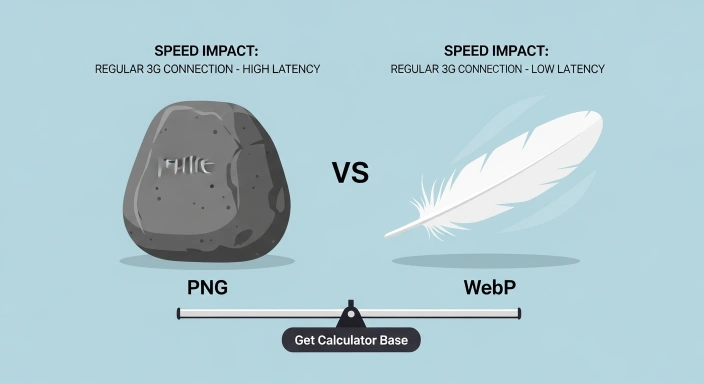
- My tip is that you should not keep your images in PNG or JPG format if you are uploading them on a website. Instead, you should convert them to WebP format.
- WebP reduces image size and improves website loading speed. It helps your website performance and also improves user experience.
- When you use WebP, your images become lighter, and the tool can automatically optimize size and give better results.
How to Use the Image Speed Impact Calculator?
Using this tool is straightforward. I have designed the interface to be intuitive so you can run a diagnostic in seconds.
Enter File Size: Input the size of your image (e.g., 250).
Select Unit: Choose between Bytes (B), Kilobytes (KB), or Megabytes (MB).
Choose Network Profile: This is the magic part. Select the speed you want to simulate (e.g., Regular 3G for mobile or 5G for modern smartphones).
Run Diagnostic: Click the button, and our tool uses high-precision math to give you the Total Load Duration.
Read the Expert Report: Our tool will give you a “Status” (Fast, Moderate, or Slow) and a custom tip on how to fix it.

Why Image Loading Speed Matters for Your SEO Rankings?
In 2026, Google doesn’t just look at keywords; it looks at Core Web Vitals. The most critical metric for images is Largest Contentful Paint (LCP). If your “hero image” or “banner” takes longer than 2.5 seconds to load, your SEO score drops, and your bounce rate climbs.
When you use a Network Speed Image Tester, you aren’t just checking a number; you are auditing your site’s Visual Stability. Slow-loading images cause layout shifts and frustrate users. By using our Image Speed Impact Calculator, you can ensure your site meets the high standards of AEO (Answer Engine Optimization) and GEO (Generative Engine Optimization), where speed is a top-tier ranking signal.
Common Mistakes in Image Optimization
Using PNG for Photos: PNGs are great for transparency but terrible for file size. Use WebP or AVIF instead.
Scaling via CSS: Never upload a 4000px image and scale it down to 400px using code. The browser still has to download the full 4000px file.
Ignoring Metadata: Large amounts of EXIF data (camera info) can add unnecessary Kilobytes to your payload size.
Key Benefits of our Website Image Performance Audit Tool
- 100% Client-Side Privacy: Unlike other tools, we never upload your data to a server. Everything happens in your browser using local JavaScript.
- Instant Results: No waiting for a queue. The results are calculated in real-time.
- EEAT Driven: Built by experts who understand the relationship between TTFB (Time to First Byte) and image rendering.
- No Login Required: GetCalcBase believes in free tools for everyone, worldwide.

Heavy images hit low-end phones hardest. Use the devices that matter for your traffic as your test baseline before deciding what to compress.
Understanding the Science: How Network Latency Affects Image Delivery
Load time isn’t just a random number; it’s a mathematical result of Payload Size divided by Network Bandwidth.
The Formula Behind the Tool:
Our tool uses the following logic to ensure 100% accuracy:
Since $1 \text{ Byte} = 8 \text{ bits}$, we first convert your KB or MB into bits and then divide it by the bitrate of the selected connection (e.g., 1.6 Mbps for Regular 3G).
Impact of 3G vs. 4G Mobile Connections
On a Regular 3G (1.6 Mbps) connection, a 500KB image can take over 2.5 seconds to load. This is the “Danger Zone” for SEO. However, on Fast 4G (8 Mbps), that same image loads in about 0.5 seconds. Testing across these profiles helps you decide if you need to switch to WebP Conversion or better compression.
Fiber Optics and Desktop Performance
While Fiber users see your images instantly, remember that Google crawls your site primarily using a Mobile-First Index. Always optimize for the “Slowest Common Denominator.”

Technical Comparison: Image Size vs. Loading Time
| Image Size | Network Speed | Estimated Load Time | SEO Status |
| 100 KB | Fast 4G (8 Mbps) | 0.10s | ✅ Perfect |
| 500 KB | Regular 3G (1.6 Mbps) | 2.56s | ⚠️ Needs Work |
| 1 MB | Slow 3G (400 Kbps) | 20.97s | ❌ Critical Fail |
| 2 MB | 5G / Fiber (100 Mbps) | 0.16s | ✅ Fast |
Final Checklist for a Faster Website
- Convert all images to WebP format.
- Use the Image Load Time Calculator to check your hero assets.
- Enable "Lazy Loading" for images below the fold.
- Compress images without losing quality using tools like TinyPNG or Squoosh.
- Check your Largest Contentful Paint after every update.
Frequently Asked Questions (FAQs)
Q: What is a good image load time for mobile?
A: For a great user experience and SEO, an image should load in under 1 second on a 4G connection. For LCP, the entire page should be ready in under 2.5 seconds.
Q: How does image size affect LCP?
A: Since the Largest Contentful Paint is often an image, the larger the file size, the longer it takes to render, directly hurting your Core Web Vitals score.
Q: Can I use this tool for bulk image auditing?
A: Yes! You can quickly check the impact of various file sizes across different network speeds to create an optimization plan for your whole gallery.
Q: Does this tool store my data?
A: No. GetCalcBase follows a privacy-first policy. The calculations are done locally on your device.
Expert Tip for 2026 SEO:
Don’t just optimize for speed; optimize for Context. Use descriptive Alt-text and ensure your images are relevant to the surrounding text. This helps with AIO (AI Optimization) as generative engines try to understand the “visual story” of your page.
Results can look different on every screen. Our guide on which devices to test your website on helps you pick the ones that matter, and you’ll find more checks in our developer tools.
Disclaimer & Trust Note
Disclaimer: While our Image Speed Tester provides highly accurate estimates based on theoretical bandwidth, real-world factors like server congestion, CDN latency, and device CPU power can also affect actual loading speeds. Website Developer With SEO Expert Waseem Aijaz Linkedin
What the Get Calculator Base Community Says
Average Rating: 4.9/5 based on our beta users