

The Ultimate Guide to Engineering Notation vs. Scientific Notation
This is my experience.
Scientific notation is an important math concept that many students struggle with, especially when dealing with very large or very small numbers. It can often be confusing and time-consuming to solve manually, and students sometimes get stuck while converting numbers.
To solve this problem, I found a tool on the GCB (Get Calculator Base) website called the Scientific Notation Converter. I tried it myself, and it made the process very easy and fast.
This tool helps users:
Convert normal numbers into scientific notation
Convert scientific notation back into standard form
Save time in solving complex math problems
Reduce mistakes in calculations
As a teacher, I found it very useful for helping students understand the concept more clearly without confusion. It gives instant results and helps in learning step by step.
Students can try it for practice and a better understanding of scientific notation problems.
If you have ever looked at a calculator screen and seen a weird “E” or a tiny number floating in the corner, you aren’t alone. Most students and even some junior engineers struggle with the transition from standard decimals to specialized notations.
Whether you are trying to figure out how to do scientific notation on a calculator for a physics lab or you need to calculate and write your answer in scientific notation for a math exam, this guide will break down the logic used by experts like waseem.

How Do You Do Scientific Notation on a Calculator?
Most people think you just type in the zeros, but that is the slow way. Professional calculators (and our custom tool at GetCalcBase) use specific “shortcuts” to handle these values.
The “EE” or “EXP” Key
On a standard scientific calculator (like a Casio or TI-84), you don’t actually type “times 10 to the power of.” Instead, you use the EE or EXP button.
- The Process: Type the front number (the mantissa), press the EE button, and then type the exponent.
- Example: To enter $5 \times 10^4$, you would type
5, thenEE, then4. The screen will likely show5E4.

Using the GetCalcBase Advantage
If you find physical calculators confusing, our Scientific Notation Calculator simplifies this entirely. You can type 5k, 50000, or 5e4, and it instantly converts it into all formats without you having to find hidden buttons.
Scientific vs. Engineering Notation: The Power of 3
This is where many students get tripped up. While scientific notation is the “standard” for classrooms, Engineering Notation is what actually runs the modern world.
Why do Engineers use Multiples of 3?
In scientific notation, you can have any exponent ($10^1, 10^2, 10^4$, etc.). However, in Engineering Notation, the exponent must be a multiple of 3 ($10^3, 10^6, 10^{-9}$, etc.).
Teacher Zubair’s Insight: “We use multiples of 3 because they align perfectly with SI prefixes. $10^3$ is a Kilo, $10^6$ is a Mega, and $10^{-9}$ is a Nano. This allows an engineer to look at a number and instantly know they are dealing with Megawatts or Nanometers without doing extra mental math.”
How to Reverse Scientific Notation: Going Back to Decimals
Sometimes you have a notation like $4.5 \times 10^{-3}$ and you need to know the “real” number. This is where a reverse scientific notation calculator becomes a lifesaver.
- Look at the sign: If the exponent is negative, the number is small (less than 1).
- Move the decimal: Move it to the left the number of times shown in the exponent.
- Fill with Zeros: Add zeros as placeholders.
- Example: $4.5 \times 10^{-3}$ becomes
0.0045.
Mastering the TI-84: Scientific Notation Mode
For students using a scientific notation calculator TI 84, the process is a bit more technical.
- Press the MODE button.
- Highlight SCI (Scientific) or ENG (Engineering) and press Enter.
- Now, every time you calculate and write your answer, the calculator will automatically format it for you.
Pro Tip from Waseem: While the TI-84 is great for exams, it can be clunky for quick web research. I built the GetCalcBase tool to be a faster “second screen” for when you just need a quick, readable conversion.
Comparison: When to Use Which Notation?
| Scenario | Use Scientific? | Use Engineering? | Use Decimal? |
| Chemistry Homework | ✅ Yes | ❌ No | ❌ No |
| Circuit Board Design | ❌ No | ✅ Yes | ❌ No |
| Programming/Coding | ✅ Yes (E-Notation) | ❌ No | ✅ Yes |
| Public News Reports | ❌ No | ❌ No | ✅ Yes (Words) |
Step-by-Step: How to Calculate & Write Your Answer
Follow this expert-approved checklist to ensure you never lose points on a test:
1. The Normalization Check
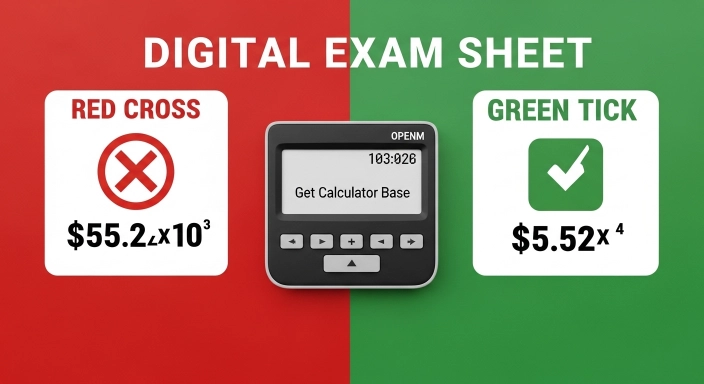
Your answer is only in “correct” scientific notation if there is exactly one non-zero digit before the decimal point.
- Wrong: $55.2 \times 10^3$
- Right: $5.52 \times 10^4$
2. The Exponent Sign
- If the original number was a decimal (0.00…), the exponent must be Negative.
- If the original number was huge, the exponent must be Positive.
3. Significant Figures
If your problem starts with 3.00, your answer must keep those two zeros! They represent the precision of your measurement.

Real-World Case Study: The Microchip
Imagine an engineer is measuring the width of a trace on a computer chip.
- The measurement is $0.000000014$ meters.
- In Scientific Notation, this is $1.4 \times 10^{-8}$ m.
- In Engineering Notation, this is $14 \times 10^{-9}$ m.
The engineer will choose the Engineering version because $10^{-9}$ is a “Nanometer.” It is much easier to tell a factory to build a “14-nanometer chip” than a “1.4 times ten to the negative eight meters chip.”
Frequently Asked Questions (FAQs)
1. How do you do scientific notation on a calculator without an EE button?
If your calculator is basic, you have to type it manually using the “power” key (usually ^ or y^x). You would type 5 * 10 ^ 4. However, this is prone to errors, so using a dedicated scientific notation calculator is safer.
2. What is the “E” in my calculator result?
The “E” stands for “Exponent of 10.” So, 3.2E5 is just a shorter way of writing $3.2 \times 10^5$.
3. Why did my answer change from 1000 to 1E3?
Your calculator is likely in “SCI” mode. It is showing you the same value, just in a more compact form.
4. Is there a way to do reverse scientific notation?
Yes! Simply type the notation into our reverse scientific notation calculator at GetCalcBase, and it will give you the full decimal and word form (like “One Billion”) instantly.
5. Can I use these notations for money?
Technically yes, but it’s rare. You might see a national debt written as $\$3.1 \times 10^{13}$ in an economics paper, but usually, we use word forms like “Trillions.”
Final Thoughts: Which One Should You Learn?
If you are a student, focus on Scientific Notation first. It is the language of exams. If you are moving into a career in tech, electricity, or construction, start practicing Engineering Notation.
At GetCalcBase, we’ve made sure our tool supports both. We believe that math shouldn’t be about memorizing where a button is on a TI-84; it should be about understanding the scale of the world around you.
Need a quick conversion? Head over to our Scientific Notation Calculator and let our expert-verified logic do the heavy lifting for you!