

The Leap Year Glitch: How Manual Age Calculation Can Fail You
This is my personal experience. By Waseem Aijaz
One day, I was thinking about creating a tool that users would find both useful and interesting. I wanted to build something that could be used for fun while also providing helpful information.
I am a developer, and my name is Waseem. After many months of hard work and testing, I created a tool called the Age Calculator.
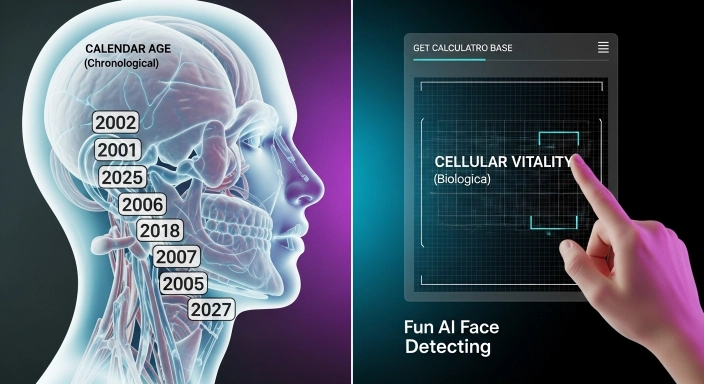
What makes this tool special is its face detection feature. When a user opens the camera and shows their face, the tool analyzes facial features and provides an estimated age result based on the detected face.
The tool also gives additional information related to age calculations and makes the experience interactive and fun for users.
The best part is that even my family members use this tool regularly for entertainment and curiosity. I personally enjoy testing it again and again because it is simple, fun, and engaging.
This tool is mainly designed for informational and entertainment purposes, helping users enjoy a unique and interactive experience.
Have you ever noticed that some online tools give you a different age than others? Or maybe you tried to build an age difference calculator in a spreadsheet and the numbers just didn’t look right?
As a developer who builds high-precision tools at GetCalcBase, I’ve spent a lot of time debugging “The Leap Year Glitch.” It may sound like a small problem, but if you are planning your retirement or applying for a document, being off by even one day is a significant risk. In this guide, I’ll explain why manual math—and even some Excel formulas—can fail you, and how to get the exact result every time.
What is the “Leap Year Glitch”?
A standard year is 365 days. However, the Earth actually takes about 365.25 days to orbit the sun. To fix this, we add an extra day ($29^{th}$ February) every four years.
When you use a basic age difference calculator that just divides total days by 365, it ignores those extra leap days. Over a 40-year period, your calculation could be off by 10 days! This is why a simple “rough guess” is never enough for official planning.
The Excel Struggle: How to Calculate Age in Excel Using Date of Birth
Many professionals try to handle this in office sheets. If you are searching for how to calculate age from date of birth in Excel, you probably know the basic formula: =DATEDIF(A1, TODAY(), "Y").
While Excel is powerful, it has its own quirks:

- The February Problem: Sometimes Excel’s
DATEDIFfunction can give an error or a “5-day gap” if the start date is the end of a month. - Complexity: Knowing how to calculate age in Excel using date of birth correctly requires complex nested formulas to account for the exact leap year logic.
- The Manual Risk: One wrong cell reference and your whole sheet is wrong.
For something as important as your Chronological Age, why take the risk with manual formulas?
Why You Need a Retirement Age Calculator by Date of Birth
Retirement is the biggest milestone of your professional life. Most pension funds and departments use a retirement age calculator by date of birth that is strictly tied to the legal calendar.
If you calculate your retirement date manually and miss the leap years, you might plan your “last day” incorrectly. Our Age Gap Calculator for Govt Jobs logic is built into our main engine to ensure that your retirement, job eligibility, and milestones are calculated with 100% mathematical precision.
The Solution: The GetCalcBase Precision Engine
I built the Age Difference Calculator at GetCalcBase to be “Leap Year Aware.” Our code doesn’t just divide by 365; it looks at every single year in your life journey and checks if it was a leap year.
Why Our Tool is Better Than Excel:
- No Formulas Needed: You don’t need to learn how to calculate age in Excel. Just pick your date and click.
- AI Face Detection: Want to see how your “Biological Age” compares to your “Chronological Age”? Our AI scan gives you a fun, high-tech estimate.
- Total Precision: We give you the result in years, months, days, and even live seconds.
Semantic Topics: Clustering Your Health & Life
At GetCalcBase, we know that age is just one part of your life’s data. To stay healthy as you get older, you need to track more than just time:
- Weight Management: Use our Macro Calculator to adjust your diet as your age changes.
- Hydration: As you age, your hydration needs change. Check our Water Intake Calculator to stay fit.
- Family Planning: For those expecting a new member, our Pregnancy Date Calculator uses the same high-precision calendar logic.
Step-by-Step: How to Use the GetCalcBase Age Engine
- Input Birth Details: Enter your DOB from your official ID.
- The “Target Date”: If you are using this as a retirement age calculator by date of birth, set the target date to your expected retirement year.
- Analyze the Gap: See the exact “Age Difference” between today and your milestone.
- Privacy Guarantee: Like all my tools, the AI Face scan is processed locally. Your data is your own.
Frequently Asked Questions (FAQs)
1. Is a leap year always every 4 years?
Almost! There is a “Century Rule” where years divisible by 100 but not 400 are not leap years. Our tool handles this complex math automatically so you don’t have to.
2. Can I use this for Excel-based HR reports?
Yes! If you are tired of figuring out how to calculate age from date of birth in Excel, simply use our tool to verify your data. It’s the perfect “Gold Standard” for accuracy.
3. What is the most accurate way to calculate age gap?
The most accurate way is to use a dedicated age difference calculator that accounts for the Gregorian calendar’s specific rules, rather than a manual subtraction of years.
4. Why does my biological age look different?
Your biological age (via our AI scan) is based on health and appearance, while your chronological age is purely based on the calendar.
Final Thoughts: Don’t Let the Glitch Win
Manual errors can lead to missed opportunities, rejected applications, or financial planning mistakes. Whether you are an Excel pro or a job seeker, precision is your best friend.
Forget the complex formulas and the “Leap Year Glitch.” Use the Chronological Age Calculator today and get the truth about your time.
Plan your future with confidence at GetCalcBase.com!