
New Year Countdown 2027 – Live Clock for Any Time Zone
Quick Answer: New Year 2027 starts on Friday, 1 January 2027, at 12:00 a.m. in each time zone. The live countdown to New Year above runs to local midnight for your time zone, or for any country you pick. Turn Sound on and it counts the last 10 seconds out loud. No login needed.
Most New Year countdown clocks count to one fixed time zone, so the number is wrong for most people who open them. I wanted one that counts to your own midnight. This New Year’s countdown reads your time zone, checks your device clock against our server, and ticks down to 12:00 a.m. where you are. Change the country and the same midnight reaches Tokyo, then London, then New York.
Built and checked by Waseem Aijaz (M.Sc Mathematics, part-time teacher, WordPress developer). Last updated: [date]. Found a wrong time? Tell us on the Contact Us page.
New Year 2027 at a glance
- Date: Friday, 1 January 2027
- First to reach it: Kiritimati (UTC+14), at 10:00 UTC on 31 December
- Last to reach it: Baker Island (UTC−12), 26 hours later
My Personal Experience Building the Event Countdown Timer
First, let me share my personal experience with you. I will explain why I created this tool because it is important to understand our motivation. Our goal is to solve our clients’ problems by creating useful tools that meet their needs.
One of my clients was a female corporate event planner. She already had a website, and as you know, I am a website developer and SEO expert. I am also the owner of Get Calculator Base, where people use different tools and can see the work I do.
One day, my client wanted me to build a countdown timer that she could add to her website to show how much time was left until her event. I asked her what kind of countdown timer she needed. She told me that many countdown timers were already available online, but she wanted something different.
She wanted a tool that could automatically detect each visitor’s local date, time, and time zone and then show the countdown to her event according to that information. She also wanted the tool to be completely free, without requiring users to pay anything.
I listened to her requirements and told her that I could add this tool to my website. I also explained that if I added it to my website, it would be free for her to use. I then started working on it, and it took me around five weeks to complete.
When the tool was ready, I showed it to my client because she wanted to use it. After seeing it, she was happy that I had provided a solution to her problem. She thanked me and told me that this was something very important to her. Whenever she planned an event, managing the timing had been quite difficult.
One of the biggest strengths of this tool is that she can share it with others and use it for different events. It also has many built-in features, but it is simple to use. Users only need to select their preferred event date and time, and the tool will start the countdown according to their selection.
This tool is not limited to New Year’s events. You can use it for Christmas or any other event you want. I have also added it to the Education category because it can be used for educational purposes and to provide information about events.
Pro Tip: Customize Your Event Countdown
Here is a pro tip: don’t think this tool is only for New Year’s Eve. You can use it for many other events too. If you are using it for New Year’s Eve, you can select a different event, such as Christmas, or choose any occasion you like from the Choose an Occasion option. The tool will then display the countdown for your selected event.
If you don’t find your preferred occasion in the list, go to Add My Own Countdown. There, you can enter your own date and time and create a countdown for any event you want.
Pro Tip: Get Email Notifications for Your Countdown
Here is another basic but useful tip: after creating your countdown, if you want to receive notifications, you can add your email address in the email notification option. Select the date and time for your email notification, and you will receive an email at your chosen time. You can also choose your preferred notification settings.
Important Features and Tips for Using the Countdown Timer
There is one restriction: you can create up to five countdowns at a time. You can also save your countdowns so you don’t have to worry about losing them.
At the top, you will see your created countdowns. You can click on any countdown to view it. The tool also provides a browser notification option, so you can receive an alert when your countdown reaches its target time.
If you have a meeting, you can use this tool for that too. It works on mobile phones, tablets, and PCs, and it is easy to use on all these devices.
If you want to remove a countdown you have created, you can delete it easily. If you want to learn more about any feature, click the relevant option to see its details, or you can contact us.
You can also add two or more countdowns. If you turn on Party Mode, the countdown will open in full-screen mode. This is useful when you want to display a countdown on a screen. You can simply set the time and display it. If you want to change it later, just click the button to return to the settings.
There is also an option at the bottom where you can share your feedback.
How Many Days Until New Year 2027?
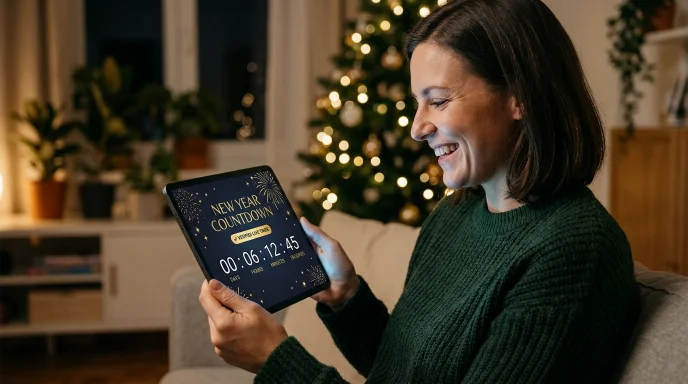
Look at the counter at the top. It shows the days, hours, minutes and seconds left for your time zone, the line under it adds the weeks, weekdays and weekend days, and a bar shows how much of the year has passed. New Year’s Day 2027 is a Friday, and 2027 is not a leap year and has 365 days. If you need the gap between any two dates, say today and 2 January, use our Time Difference Calculator.
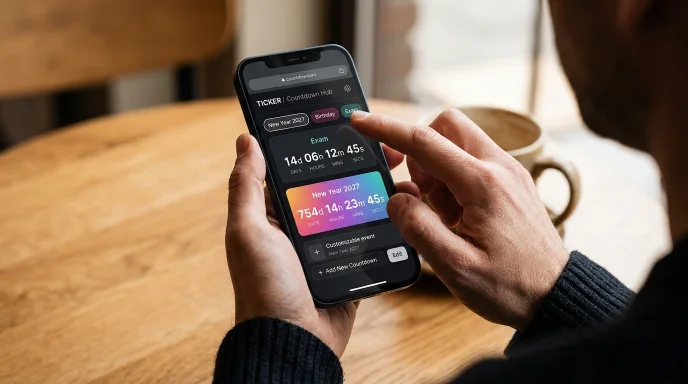
How to Use the New Year Countdown Clock in 5 Steps
- Check the time zone. It’s picked from your device. Open the list for another country.
- Choose your sounds. Press Sound, open the Sounds box and pick one for the last 10 seconds, midnight and notifications.
- Try Party mode. It goes full screen, makes the digits huge and plays your countdown sound from 10 to 1.
- Turn on Alert. Your browser shows a notification when time is up. Keep the tab open.
- Add a reminder. Download the calendar file or give us your email.
When Is New Year 2027? Date, Day and Midnight Times
New Year’s Day 2027 is Friday, 1 January 2027. Midnight doesn’t arrive everywhere at once. This table shows when local midnight happens in popular places, written in UTC (January offsets).
| Place | UTC offset | Midnight at (UTC) | Hours after first |
|---|---|---|---|
| Kiritimati, Kiribati | +14 | 10:00, 31 Dec | 0 |
| Auckland, New Zealand | +13 | 11:00, 31 Dec | 1 |
| Tokyo, Japan | +9 | 15:00, 31 Dec | 5 |
| Karachi, Pakistan | +5 | 19:00, 31 Dec | 9 |
| Dubai, UAE | +4 | 20:00, 31 Dec | 10 |
| London, UK | 0 | 00:00, 1 Jan | 14 |
| New York, USA (Eastern) | −5 | 05:00, 1 Jan | 19 |
| Chicago, USA (Central) | −6 | 06:00, 1 Jan | 20 |
| Los Angeles, USA (Pacific) | −8 | 08:00, 1 Jan | 22 |
| Baker Island (uninhabited) | −12 | 12:00, 1 Jan | 26 |
First and Last Places to Reach 2027
Kiritimati, part of Kiribati, gets there first at UTC+14, which is 10:00 UTC on 31 December. The Chatham Islands (UTC+13:45) follow 15 minutes later, and Samoa, Tonga and most of New Zealand an hour later. The last stop is Baker Island (UTC−12), 26 hours after Kiritimati, but nobody lives there. American Samoa (UTC−11) is among the last inhabited places. The full order, and why Kiritimati comes first, is in Which Country Celebrates New Year First? The Order by Time Zone 2027.

New Year Countdown by Country and Time Zone
The picker holds 34 popular countries and, in current browsers, every IANA time zone, so you don’t need a separate page for your country.
UK and London
For a UK New Year countdown, or a New Year countdown for London, choose the United Kingdom. Midnight is 00:00 GMT, the same as UTC.
US Central Time
For a New Year countdown clock in Central Time, choose United States – Central. Midnight there is 06:00 UTC.
Key Benefits of This Countdown
- It matches your clock. You see the time left where you are, not in another country.
- One tool for many dates. Birthdays, Eid, Christmas, an exam.
Features of This New Year Countdown Timer
Use it as a plain New Year’s timer, or build something of your own: you pick what to count down to, in which time zone, and with which sound.
Count Down in Any Time Zone
Your browser handles daylight saving, so you never add or subtract hours.
Set Your Own Countdown: Birthday, Exam or Trip
What You Can Set
Type a name, pick a date and a time, and tick Repeat every year for birthdays and anniversaries. You can keep up to seven extra countdowns, such as a birthday, an exam or a flight, and change the time or date later with Change time / date. Each one gets a tab next to New Year, so you can switch between them.
Where It Is Saved
Only in your own browser, so clearing your browser data removes them.
30 Ready-Made Occasions
Choose an occasion and the date is worked out for you: Christmas, Eid al-Fitr, Eid al-Adha, Ramadan, Diwali, Easter, Thanksgiving, Black Friday, Halloween, Chinese New Year and more. Moon-based dates can be a day off in your country, so there’s a shift-date control. Decorating for the season? Try our Christmas Tree Light Calculator and Christmas Light Calculator for House.
Sounds and Voice Counting: 20 Sounds and a 10-to-1 Voice
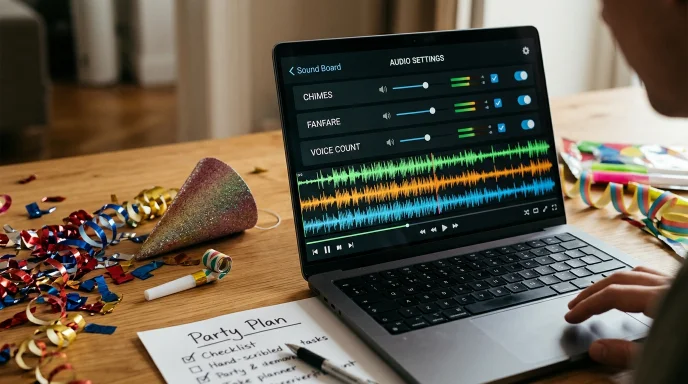
The Three Sound Slots
There are 20 sounds, including bell, chime, gong, harp and fanfare, and three slots: the last 10 seconds, the moment time is up, and a notification when a reminder is saved. Press Play to test each, so your New Year countdown sound is the one you picked.
Voice Counting from 10 to 1
Pick Voice and your browser speaks the numbers, so you get a 10-second New Year countdown, 10 to 1, with no download, then a greeting. It uses the browser’s built-in speech feature, so the voice depends on your device. If speech isn’t available, you hear a beep instead.
Party Mode: Full-Screen Countdown for the Whole Room
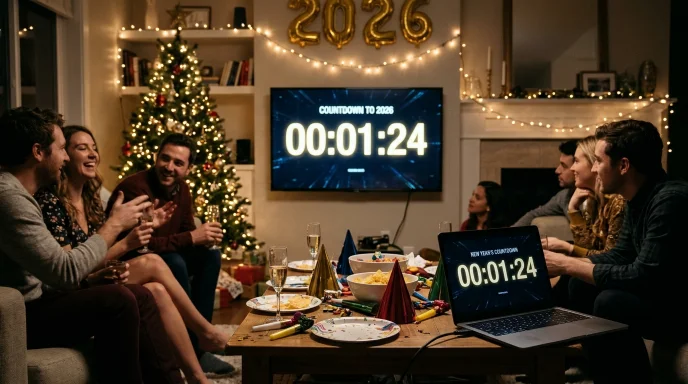
Party mode goes full screen, makes the digits huge and plays your countdown sound from 10 to 1. Connect a laptop to a TV and you have a New Year’s Eve countdown clock for the whole room, ready for the countdown on New Year’s Eve itself. Share buttons send the page to friends by WhatsApp, Telegram, X, Facebook, email or SMS.
Alerts, Calendar and Email Reminders
| Option | Works with the browser closed? | Best for |
|---|---|---|
| Alert (notification, plus sound if Sound is on) | No, keep the tab open | Watching live |
| Calendar file (.ics) | Yes | A yearly reminder in your calendar app |
| Email reminder | Yes | Not forgetting the date at all |
Email Reminder
Pick when you want to hear from us
Times follow the zone you chose. Check your spam folder if the confirmation doesn’t arrive.
Before the date
Choose any mix of 7 days, 2 days, 1 day, 1 hour or 10 minutes before.
At the moment
One email as the countdown ends.
Unsubscribe and delete
Every email has a one-click unsubscribe link. It deletes your address.
What Is New in This Update
Voice counting, 20 sounds, your own countdowns, 30 occasions and email reminders by time zone. The page changes year by itself.
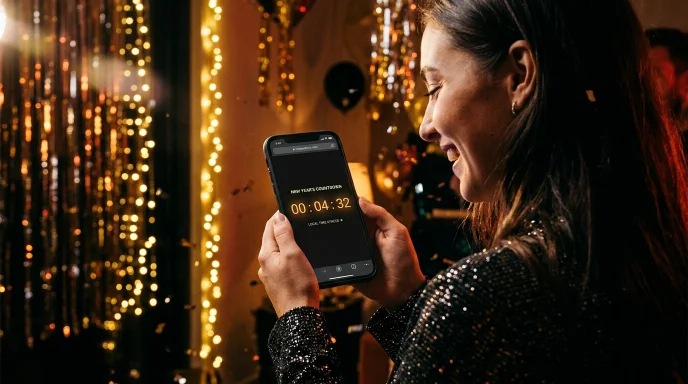
What Technology Powers This Countdown?
It runs in your browser, which keeps it fast.
- Time zone maths: the Intl.DateTimeFormat feature and the IANA time zone database work out local midnight, daylight saving included.
- Clock check: one small request asks our server for the time, so a wrong device clock doesn’t change the result.
- Sounds: the Web Audio API creates them in your browser, so there are no audio files to load.
- Alerts: the browser’s Notifications API, after you allow it.
How we checked it: on [date] I opened this page on [device and browser] and compared it with time.gov and timeanddate for [zones you tried]. The difference was [x] seconds. For a second opinion, compare with time.gov (official US time) and timeanddate’s New Year counter.
Privacy: What Is and Is Not Stored
Your time zone, sounds and own countdowns stay on your device. If you ask for an email reminder, we store your email, the event and the time zone, only to send it. Unsubscribing deletes it. Details are in our Privacy Policy.
How This Countdown Compares
Checked on date of check. “Not seen” means we didn’t find it on the page.
| Feature | GetCalcBase | Other Tools | Other Website | Other Site | Other Calculator |
|---|---|---|---|---|---|
| Your local midnight | Yes | Yes | Yes | Yes | Yes |
| Sound | Yes (20 + voice) | Not seen | Yes | Yes | Not seen |
| Spoken 10-to-1 count | Yes | Not seen | Not seen | Not seen | Not seen |
| Own countdowns | Yes | Not seen | Not seen | Not seen | Not seen |
| 30 occasions | Yes | Not seen | Not seen | Not seen | Not seen |
| Email reminder by zone | Yes | Not seen | Not seen | Not seen | Not seen |
Pro Tips
- Test the sound first. Browsers block sound until you click, so press Sound once before midnight.
- Planning New Year’s Eve? The date, the day and midnight times are in When Is New Year’s Eve 2026? Date, Day and Midnight Times.
- Giving a midnight toast? Time it with our Words to Minutes Calculator.
Frequently Asked Questions (FAQs)
What day is New Year’s Day 2027?
Friday, 1 January 2027. The countdown ends at 12:00 a.m. on that date in the time zone you selected.
Is 2027 a leap year?
2027 is not a leap year and has 365 days. A year is a leap year when it divides by 4, except century years, which must divide by 400.
How long until 2027?
Use the counter at the top, your countdown to New Year’s. The line under it shows the weeks, weekdays and weekend days left.
How many days until 2 January 2027?
One more than the New Year count, because 2 January comes a day after 1 January. For the exact gap between any two dates, use the Time Difference Calculator.
What time is New Year in my time zone?
12:00 a.m. on 1 January in your own zone. Pick it in the tool, or find your city in the table above.
How accurate is the countdown?
It uses your device’s time zone rules and checks your clock against our server, so it should be right to about a second on a normal connection.
Does it work on a phone or a TV?
Yes. The page fits phone screens. For a TV, open it on a laptop, press Party mode and connect the screen.
Does the countdown switch to the next year by itself?
Yes. After midnight it celebrates for an hour, then counts to the next 1 January.
Is the tool free and private?
It’s free and needs no account. Your email is stored only if you ask for an email reminder, and unsubscribing deletes it.
Plan Your New Year With These Free Tools
- Saving more? Use the SIP / Compound Interest / Retirement Calculator.
- Fitness plan? Try the Intermittent Fasting Calculator, the Calories Calculator or the Age Calculator.
- Studying? Convert grades with the GPA to Marks Calculator, the Fraction to Decimal Pro or the Scientific Notation Converter.
- Cutting a budget? The Percentage Decrease Calculator shows the drop.
- Travelling? Plan the drive with the Road Trip Planner, switch units with the Speed Converter Tool and check rates in Currency Exchange.
Browse all Education Tools, Finance Tools, Health Calculators, Developer Tools and Digital Marketing Tools.
Conclusion
A countdown to New Year is only useful when it matches your clock. This one counts to local midnight in any time zone and says the last 10 seconds out loud. Pick your zone, choose a sound and start counting.
Professional Disclaimer: Times come from IANA time zone data in your browser. Governments can change time zone rules, so check official sources for travel or legal deadlines. Eid and Ramadan can differ by a day in your country. Reviewed by Waseem Aijaz (M.Sc Mathematics). Read our full Disclaimer.